

HomeCompare
Compare · PiloBuild vs. ProcoreProcore is your project record. PiloBuild reads it and does the measurement work.
Procore is a construction management platform used across the project lifecycle for drawing management, RFIs, submittals, scheduling, cost tracking, daily logs and more, and it is the system many mid-market GCs already run. PiloBuild is not a competing project management platform — it is an operating layer that reads what is already in a system like Procore and produces takeoff, estimating and classification work most PM platforms do not do natively.
 PiloBuild vs. Procore
Procore centralizes the project record across the whole lifecycle
- A centralized hub for drawings, RFIs, submittals, schedules, budgets, daily logs and correspondence, used by owners, GCs and subcontractors on the same project.
- Drawing management with version control and revision tracking, so field teams can find the current sheet.
- A large integration marketplace connecting scheduling, accounting and other construction software to the same project data.
03 / The specific gap
Procore manages documents and workflow. It does not read drawing geometry.
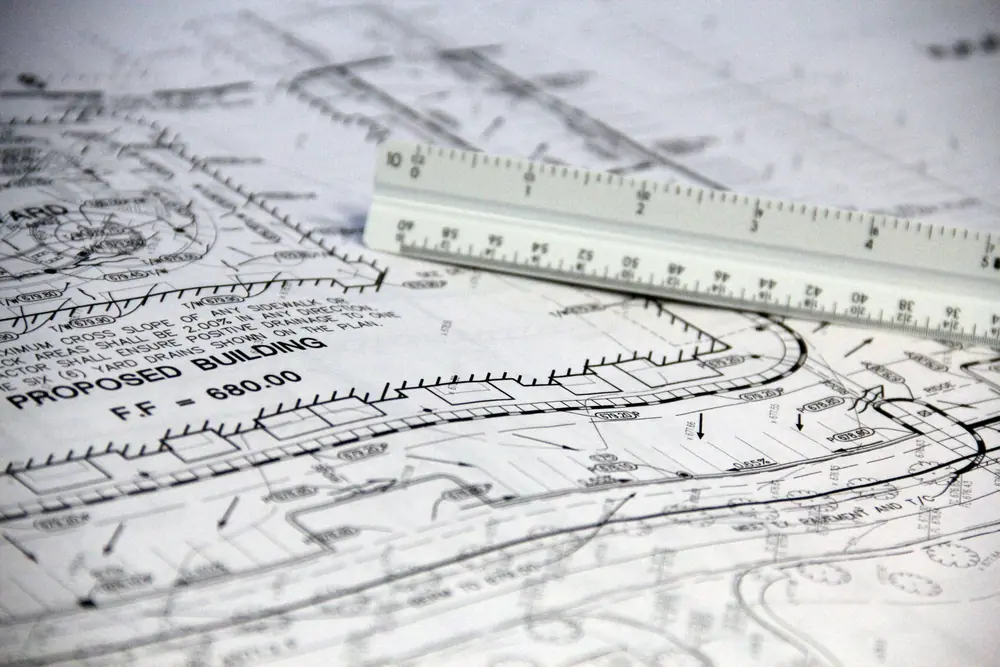
Procore’s drawing tools are built for storage, version control and markup — organizing sheets and tracking revisions so the field is looking at the current set. Turning a sheet into a measured quantity, or resolving a leader-line callout to the specific object it points at, is not what a document-management and workflow platform is built to do.
PiloBuild fills that specific gap: it reads the CAD vector geometry inside the PDFs a project already has in Procore, produces classified takeoff quantities at ±0.3% geometric precision, and drafts RFIs and submittals from that geometry for a person to review, rather than asking your team to measure the drawing by hand before Procore’s workflow tools take over.
Procore is the record. PiloBuild is the measurement layer.
Documents live in Procore
Drawing sets, specifications and budgets already stored in your project stay there. For a pilot you export that one job’s documents and upload them — nothing is migrated, and nothing in Procore changes. A direct read-only connector is planned after MVP, not available today.
Geometry work happens in PiloBuild
Vector-first takeoff, scale confirmation, callout resolution, classification and deterministic cost build-up run in PiloBuild, on the documents Procore already holds.
Output goes back into your workflow
Quantities, estimates and drafted RFIs or submittals export to spreadsheet and PDF for your team to review and load into Procore. Automatic write-back is on the post-MVP roadmap, not a shipped feature.
3 questions about running both
Are you asking us to replace Procore?
No. PiloBuild is designed to run on top of Procore, working from the drawing set, specifications and budget you already keep there and returning quantities, estimates and drafted correspondence for your team to review. Today those documents move by file upload and the output comes back as an export; a direct connector is planned after MVP. Procore stays your project record either way.
Does PiloBuild use Procore’s own takeoff or estimating tools?
No. PiloBuild’s takeoff and estimating are our own vector-first pipeline, run alongside whatever tools your team already uses inside Procore. During a pilot you can compare our output to what your existing workflow produces on the same drawing set.
Can we use both at once during a pilot?
Yes, that is the intended setup. A pilot runs on exported files rather than a live connection, so Procore keeps functioning exactly as it does today while you compare PiloBuild’s takeoff and estimate against your own numbers on one active project.
We named a real product because customers ask us how PiloBuild relates to it, not to score points against it. Product names belong to their owners; nothing on this page is an endorsement, partnership, benchmark test we ran ourselves, or a claim about their pricing, roadmap or performance. Where we were not certain of a specific fact, we described the category difference instead of asserting a number.
Run both side by side.
A pilot runs alongside the tools you already use. Nothing gets replaced.